Everything Predio does — in one place.
Every tool you need to run a property, from collecting dues to talking with residents. Simple enough for a single house, powerful enough for a whole portfolio.
Dues, charges & payments
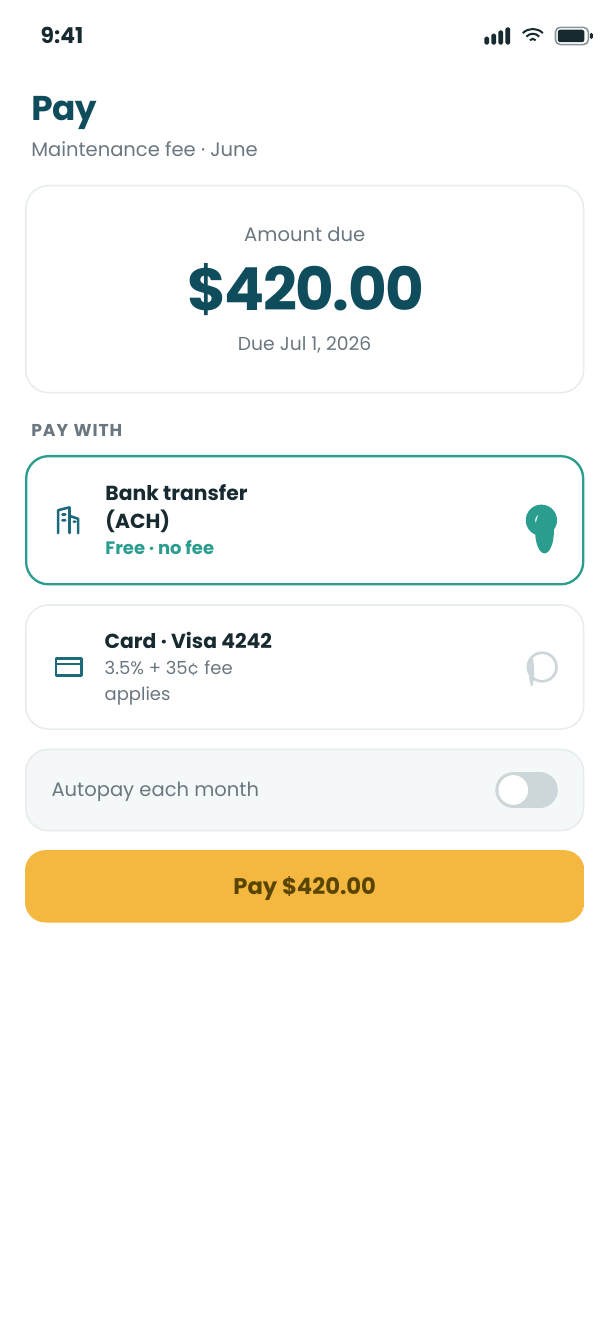
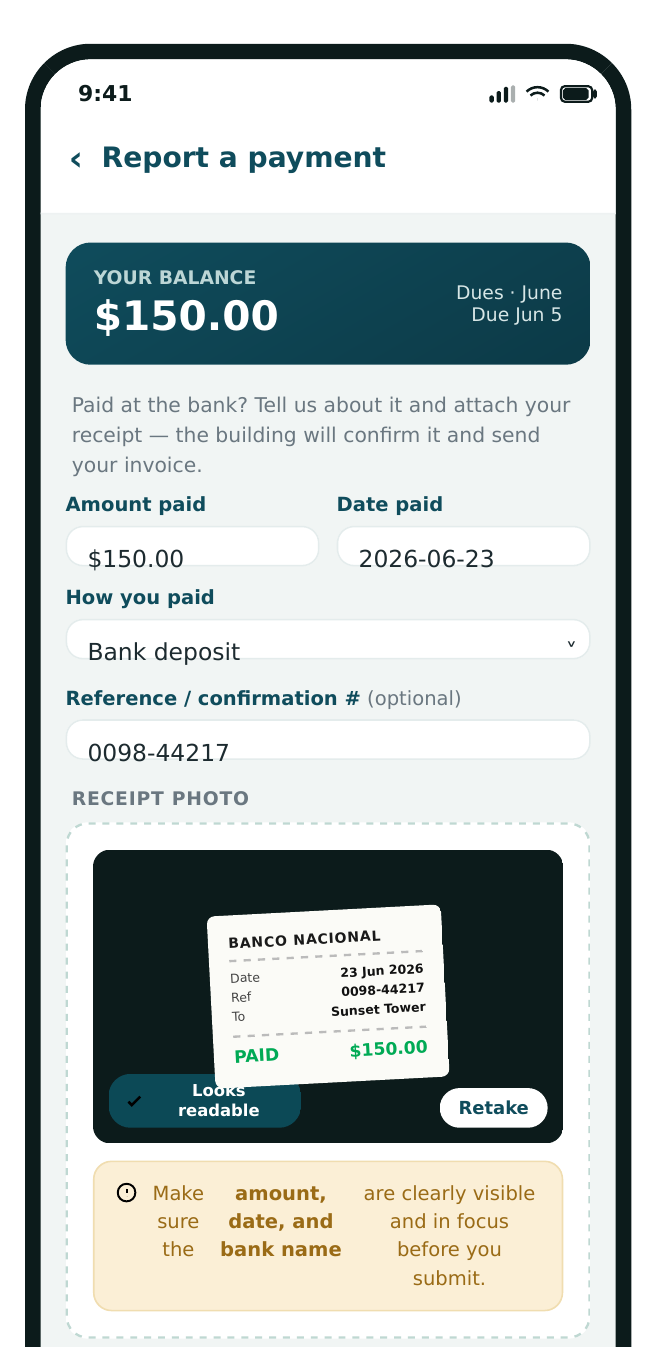
Issue maintenance fees, rent and one-off charges, generate the month in a click, and send automatic reminders for overdue balances. Residents report what they paid with a photo of the receipt, you verify it against your account and approve — and Predio issues the receipt. Paying online inside the app is a separate add-on, available for U.S. buildings only; everywhere else, including Mexico, the report-and-approve workflow above is the complete, included path.
Financial transparency & reporting
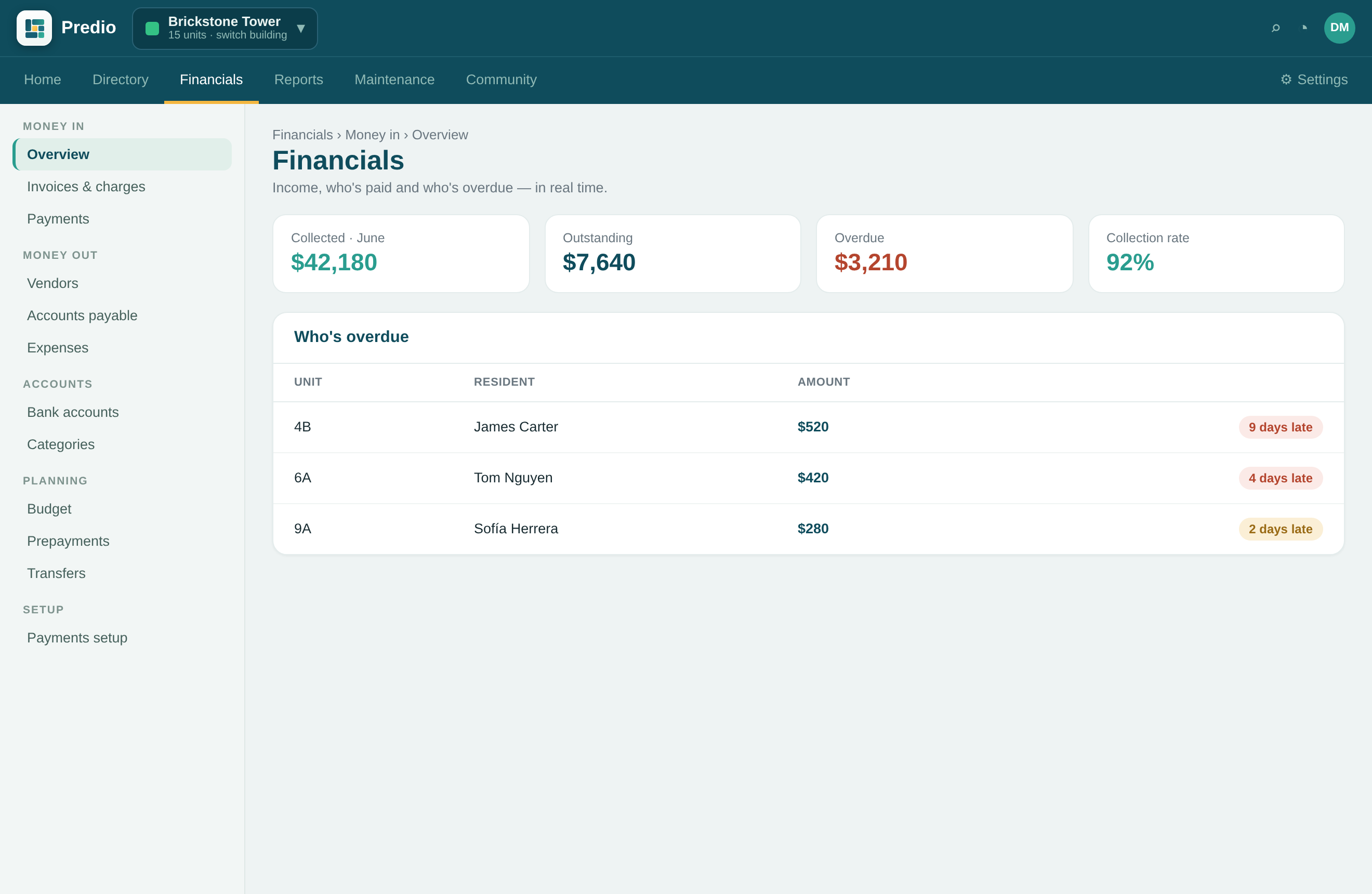
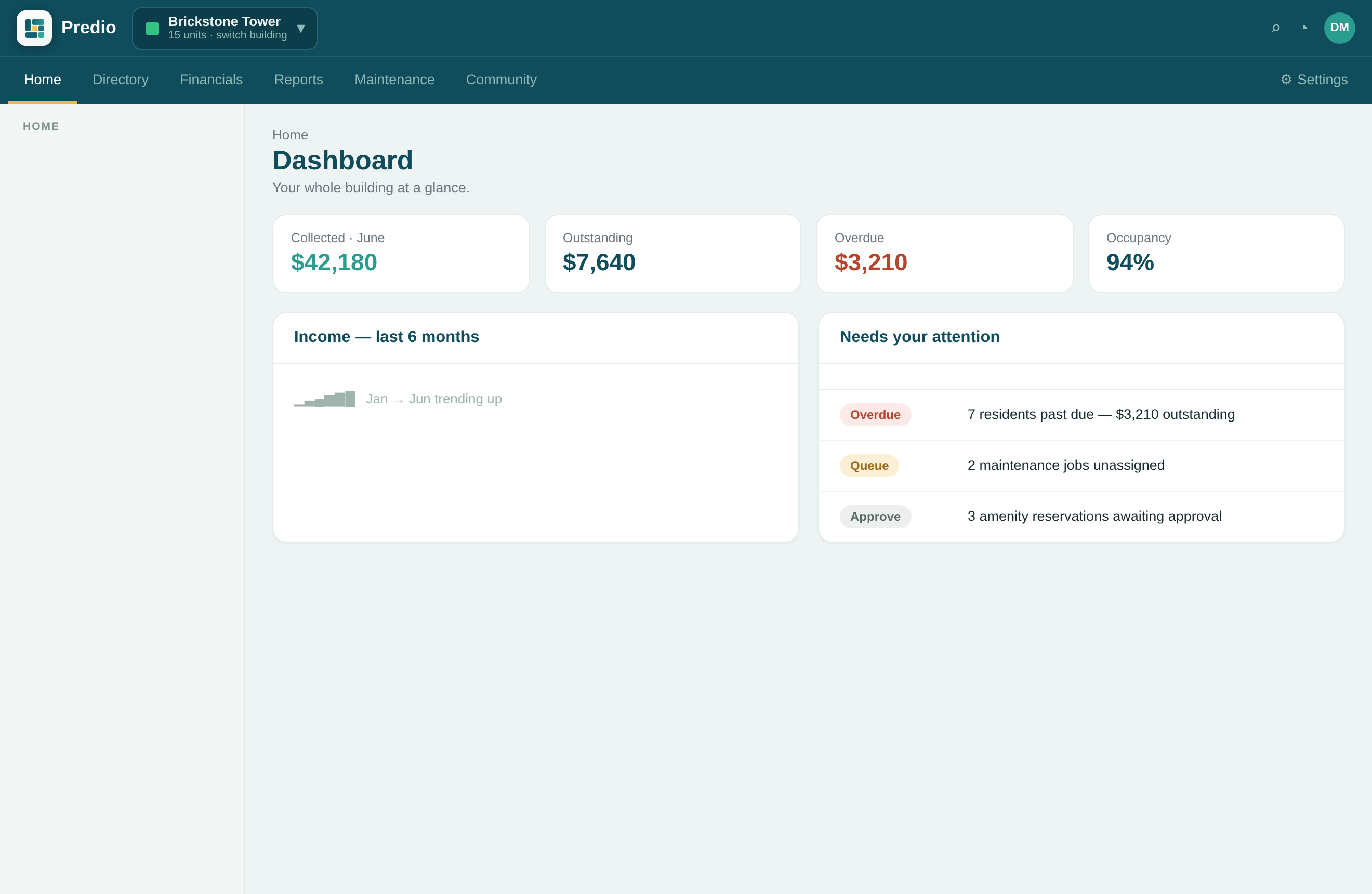
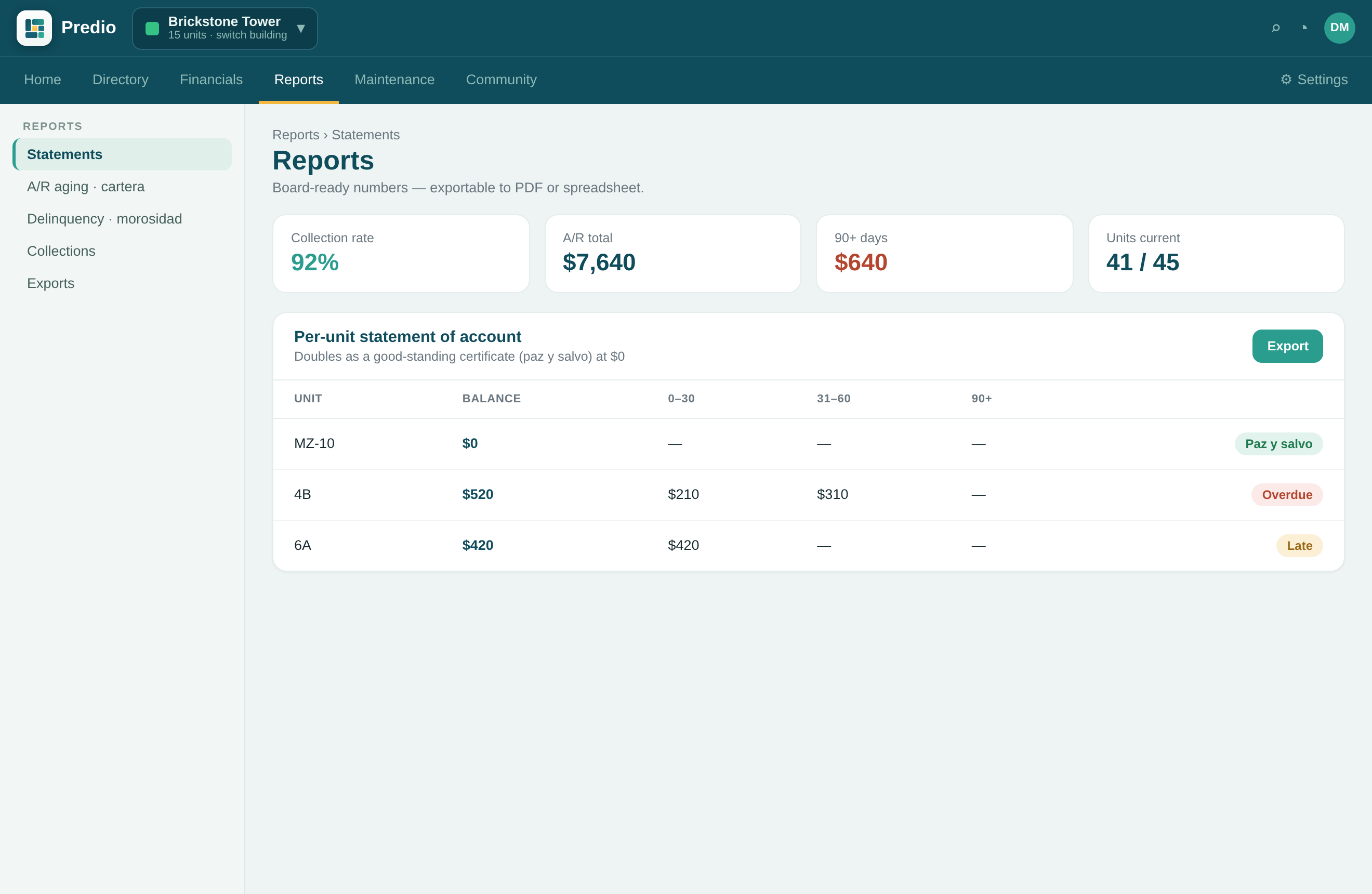
See real-time income reports, accounts receivable, and balances at a glance — and share them with owners or your board in a click. Transparency that builds trust and makes month-end painless. Print a per-unit statement of account — or a good-standing certificate (paz y salvo) when the unit is current — plus accounts-receivable aging and a delinquency report.
Direct in-app messaging
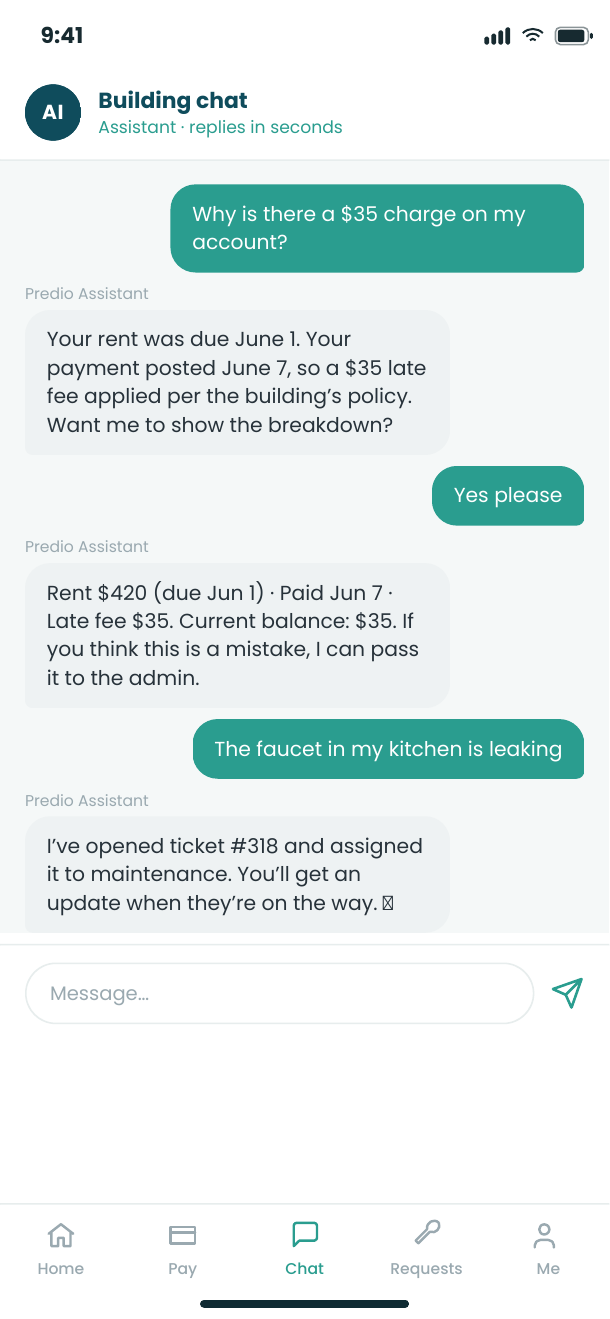
A private, two-way chat between the administrator and each resident or tenant — right inside the app, with free push notifications. No more scattered WhatsApp groups or missed texts. Keep email as a fallback for the most critical notices.
Smart access & visitor control
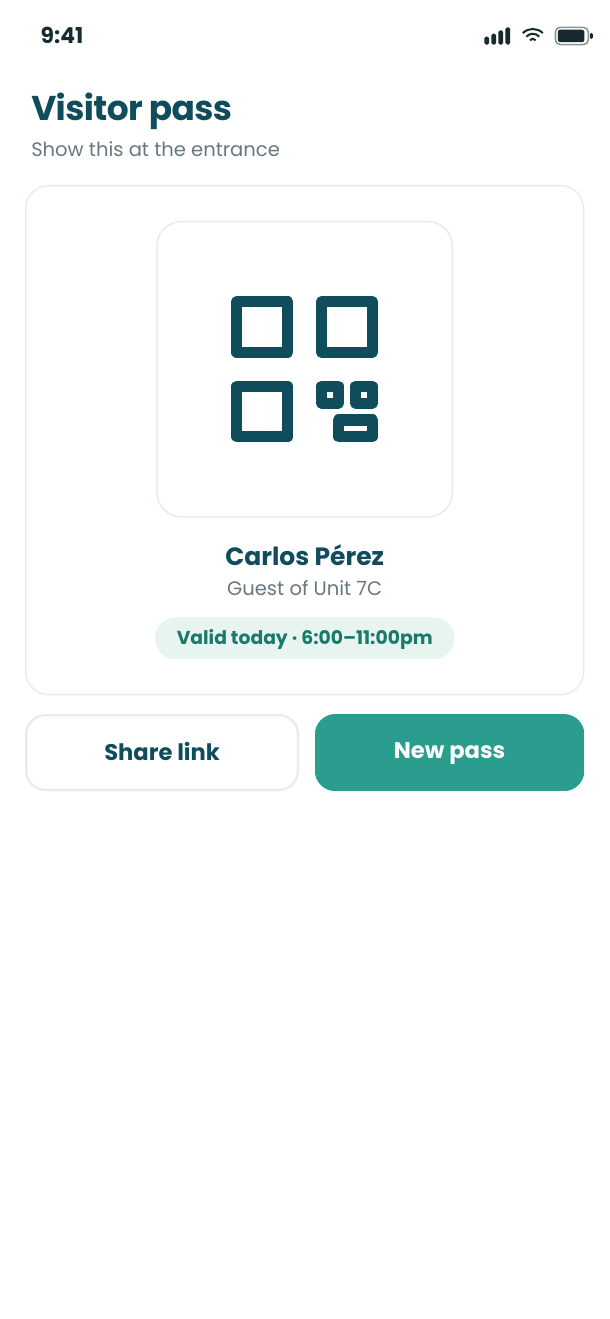
Residents generate QR codes for guests and deliveries, and every entry is logged securely. Know who comes and goes, and give your front desk or guard a simple way to verify visitors.
Amenity reservations & maintenance
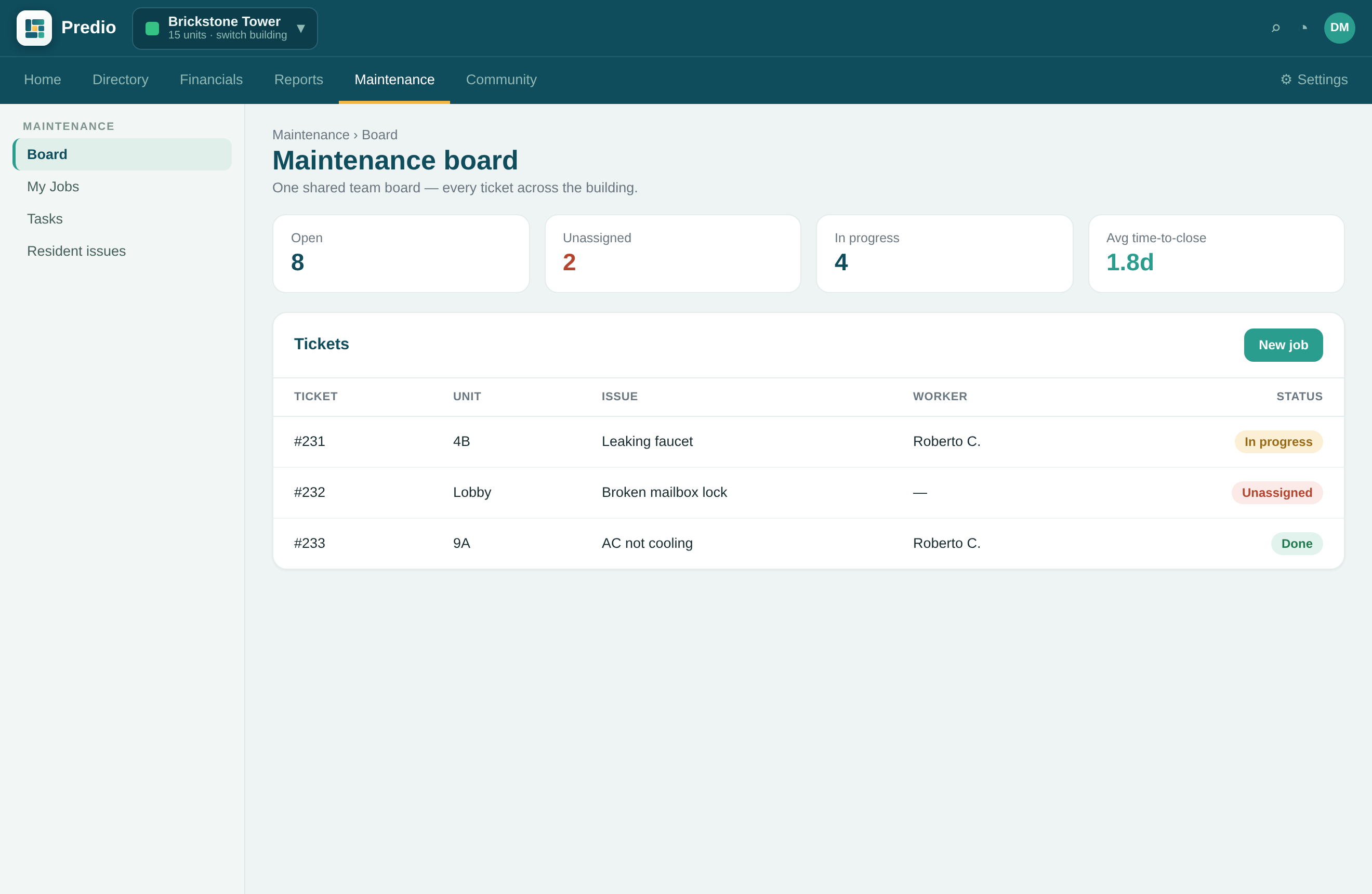
Let residents book the pool, gym or event room in a couple of taps, and report maintenance issues with a photo. Residents and the assigned worker coordinate right on the ticket, and admins track and resolve every request so nothing slips through the cracks.
Tasks & multi-property management
Assign and track work with built-in reminders, and manage one property or fifty from a single login — residential, commercial or mixed. Every user is free and unlimited — residents and staff alike, with no seats and no per-user charges.
A 24/7 AI assistant — the Predio AI add-on
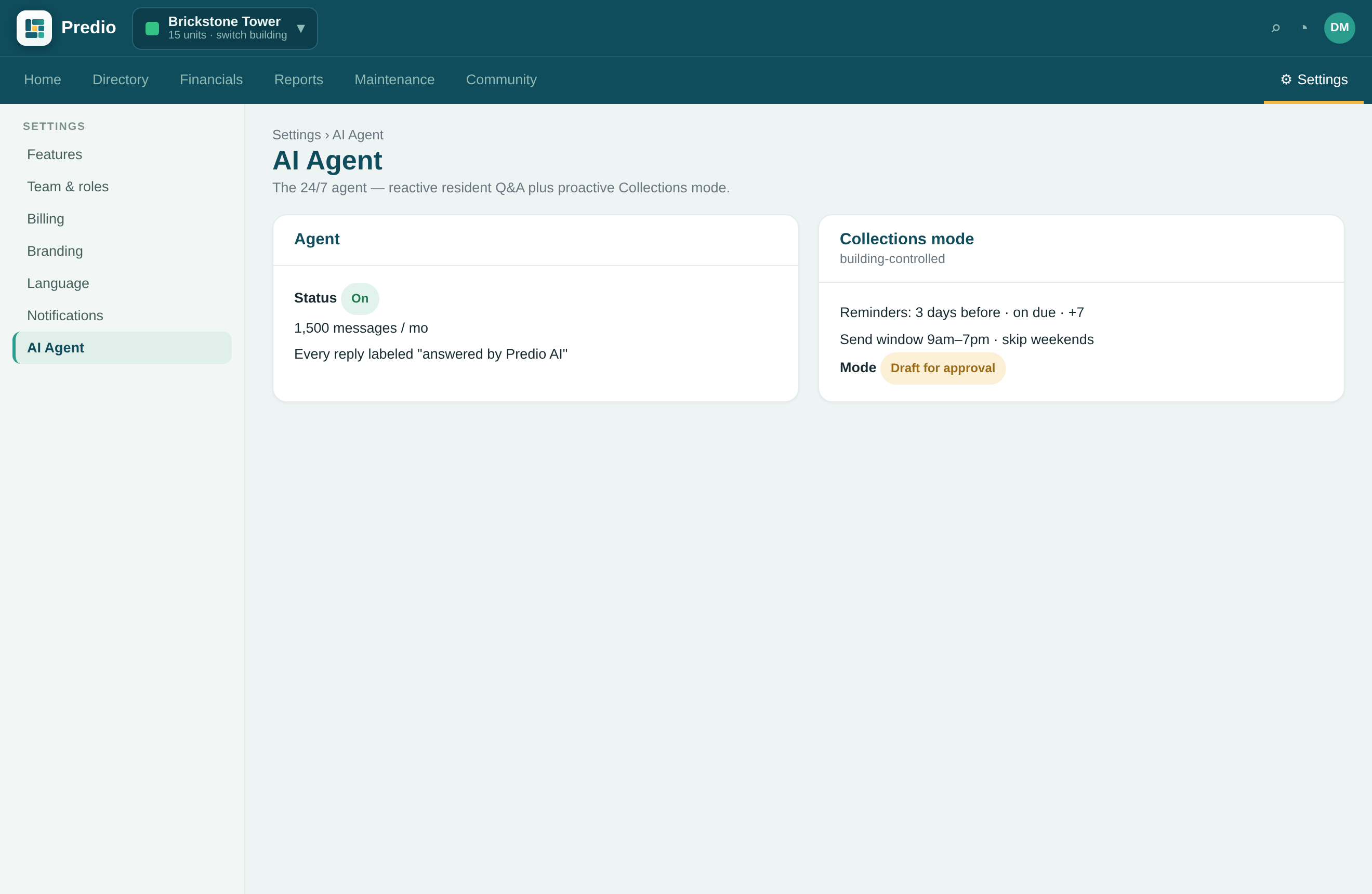
Predio AI is an optional add-on, priced per building. The Agent works inside resident chat, in English or Spanish. It answers residents around the clock, turns a message and a photo into a maintenance ticket, and explains a resident's balance and charges from the live ledger — and your team can take over any conversation at any time. Switch on Collections mode and the same agent proactively reminds residents about overdue payments on a schedule you set — gently, in their language, and it stops the moment they pay.
Report-a-payment, with proof
Where residents pay at the bank instead of online, they snap a photo of the receipt and report the payment in the app. Your team gets a notification, confirms it against your account, and approves — and the invoice is generated automatically, with the date and amount on record.
Parking, organized
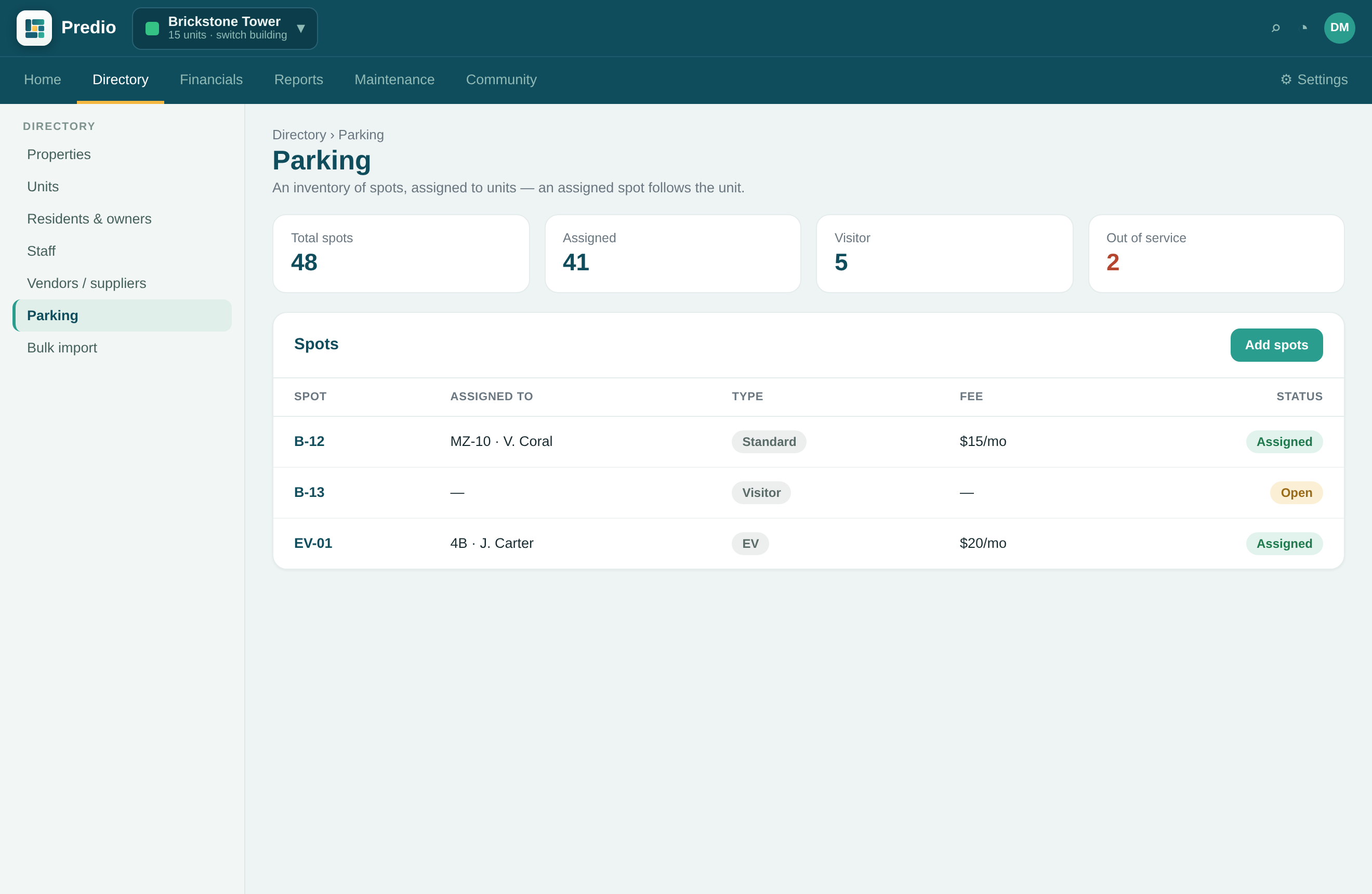
Keep an inventory of every parking spot and assign it to a unit in a click. The spot follows the unit, so it survives tenant turnover, and residents see their assigned space right in the app — with an optional monthly fee.
Security & guard module
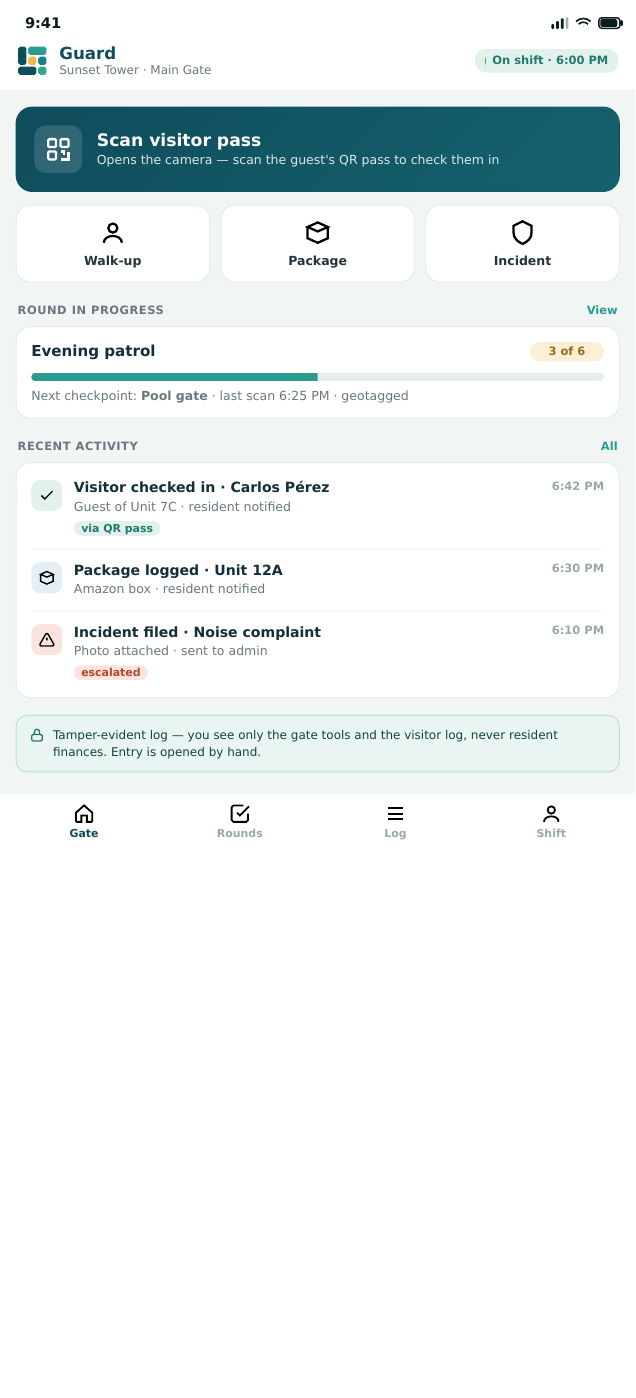
For staffed buildings and gated communities, Guard & Security — included at no extra cost — puts your guards on the same app. They check visitors in by scanning the resident’s QR pass, log packages, walk geolocated rounds, and file incidents — all on a tamper-evident log. Software-only, with unlimited free guard logins.
Built-in help, on every screen
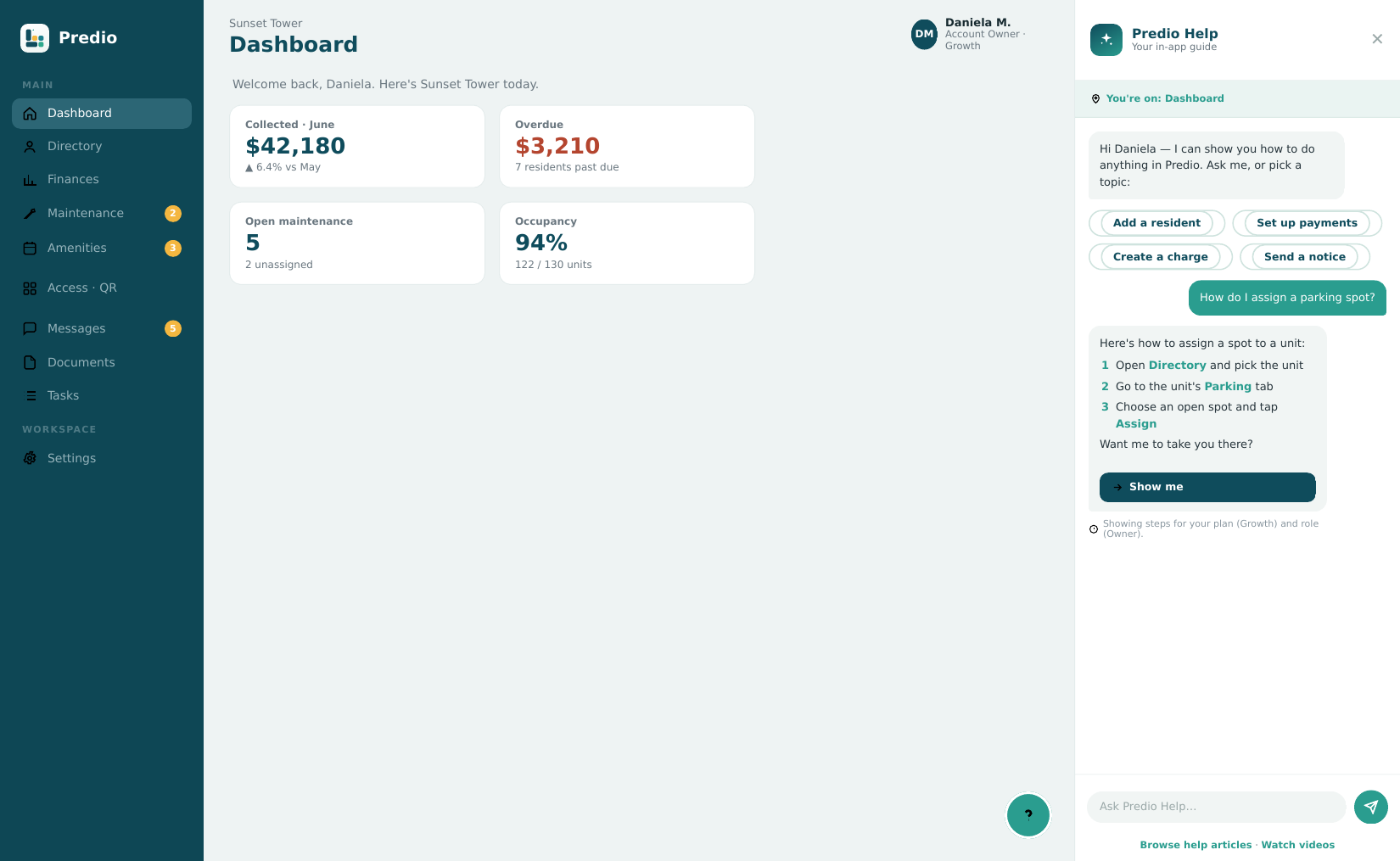
A free, always-on guide lives behind the “?” on every screen — for admins and residents alike. Ask it anything in English or Spanish and it shows you exactly how to do it, scoped to your role. New staff onboard themselves, and your team stops fielding the same how-do-I questions.
Owner statements & good-standing certificates
Print a per-unit statement of account in one click — or a good-standing certificate (paz y salvo) when the unit is current, the proof owners need to sell or transfer. Plus building-wide accounts-receivable aging, a delinquency report, and a collections summary — the reports a professional administrator runs every month.
Verifiable documents
Every receipt, invoice and good-standing certificate carries a QR code. Scanning it opens a public page — no login, no app — that Predio generates live from the ledger and that confirms the document is genuine: the building, the document number, the date and the amount. A voided document says so plainly. The link never expires, and it shows only the unit — a resident’s name never appears.
Bank accounts, expenses & accounts payable
The other half of the books. Keep bank accounts and cash boxes with running balances, record vendor bills and what you owe, categorise every expense, and print an expense voucher (comprobante de egreso) for each payment out. Mark a movement reconciled and it locks — a correction is a new offsetting entry, never a silent edit. This is your bookkeeping: Predio never connects to your bank.
A free login for your vendors
Your plumber or contractor gets their own small app — three tabs: messages, their open tickets, and the addresses they serve. They see only the jobs assigned to them, never your residents, your finances or another vendor. They can send you their bill with photos attached, and it lands straight in your accounts payable.
Bilingual to the last detail
Every screen, notice and document exists in English and Spanish, and one tap switches the whole app. Any message — including an AI reply — can be translated in place with a tap, and the original is always kept beside it. Each building prints its own fiscal identity with the right label for its country: RTN, RFC, NIT, RUC or EIN. One account can hold buildings in several countries, and each prints its own.
Prepayments, late fees and credit
A resident who pays ahead or overpays doesn’t create a mess: the surplus is held as credit on their unit and applied to the next charges, month by month. Late fees are per building and off by default — turn them on as a percentage or a fixed amount, with a grace period, and waive one properly when you decide to, rather than deleting it.
Notices residents actually confirm
Post a notice to the whole building with photos and attachments. Mark it critical and each resident is asked to confirm they saw it — and you get a list of who has and who hasn’t, with one button to remind only the ones who haven’t. Critical notices reach people even during quiet hours.
Roles you define, records you keep
The five built-in roles cover most teams, and when they don’t you can build your own from a list of capabilities — a bookkeeper who sees money and nothing else, or someone who can only post notices. Staff can clock in and out from the phone or the browser, with a weekly hours view; it records presence, not payroll. Archived residents, units and notices are never deleted — an owner or admin can restore them.
See it on your own property.
Join the waitlist and we'll show you Predio with your buildings in mind.
Join the waitlist